YouTube SEO 2026: A Simple Setup Any Creator Can Copy

YouTube SEO in 2026 rewards a smaller set of habits than most creators expect. You do not need a spreadsheet of hundreds of keywords or a stack of paid tools. You need a repeatable way to choose topics people already search for, package those topics clearly, and then read the results honestly. The setup below can be built in an afternoon and repeated every week without turning into a second job.
Why YouTube Search Still Rewards the Basics
YouTube is often described as the second-largest search engine in the world, with more than 2.5 billion monthly users. That scale matters because two different audiences arrive on every video. Some people typed a query and are looking for an answer. Others were recommended a clip and had no intention of searching at all. Guides published in 2026 tend to cover both paths together, mixing algorithm insights with plain video optimization advice, and the practical takeaway is straightforward. A video that clearly answers one specific question can be found through search, and that same video can travel through recommendations if viewers keep watching and keep responding.
The mistake is treating those two paths as separate jobs. They are not. The clarity that helps a video rank in search also helps a viewer decide to click on it in a recommendation feed. One set of work, two chances to be seen.
What Actually Changed in 2026
Recent guides on YouTube SEO keep circling the same themes: ranking factors, AI-assisted workflows, video optimization, and a repeatable system for growth. The tooling around the work has improved. Research that used to take an hour of manual searching can now be sketched in minutes with an assistant, and first drafts of titles and descriptions appear faster than ever.
What has not changed is the part that decides whether any of it works. A video still has to answer a real question, be easy to understand in the first few seconds, and leave the viewer satisfied enough to keep watching or come back. AI can speed up the packaging. It cannot rescue a video that does not deliver what the title promised. Treat automation as a drafting assistant and keep the judgment calls for yourself.
Step 1: Pick a Topic You Can Realistically Rank For
Topic selection is where most channels win or lose before a single frame is recorded. One 2026 lecture series on YouTube growth starts with categories and niches, framing them as the foundation for ranking higher and growing faster. That ordering makes sense. A broad topic puts you against channels with years of history and larger audiences. A narrow topic puts you against a handful of videos, some of which may be outdated or badly explained.
Try this filter before you commit to an idea:
-
Write the exact phrase a viewer would type to find this video.
-
Ask whether that phrase describes a problem, a comparison, or a task.
-
Check whether the existing results actually solve it well.
-
Decide if you can add a clearer demo, a newer example, or a simpler explanation.
If you cannot name the phrase, the video is probably a passion project rather than a search asset. That is fine, but do not expect search traffic to carry it.
Turn one idea into a small cluster
A single strong video rarely earns much on its own. Build three to five related videos around the same narrow topic and link them with a playlist. Each video answers a smaller question, and together they cover the broader one. This gives viewers a reason to keep watching after the first clip ends, and it gives the platform a clearer picture of what your channel is about.
Step 2: Build the Video Around the Search Intent
Before writing a script, decide what the viewer wants to walk away with. Three patterns cover most searches. Someone wants to learn a task and needs steps. Someone wants to compare options and needs criteria. Someone wants to follow a process and needs to see it done. Name the pattern out loud, then structure the video to match it.
For a task video, show the finished result early, then walk back through the steps. For a comparison, state the decision criteria before the verdict. For a process, keep the order linear and resist tangents. Every minute spent on a side topic is a minute a viewer spends deciding to leave.
Step 3: Write a Title That Earns the Click Without Overselling
The title has one job: make the right viewer confident this video answers their question. Put the searched phrase near the front where it reads naturally. Keep the language plain. Avoid stacking two promises into one title, because the viewer will only remember one of them and may feel misled by the other.
A useful test is to read the title, then read the first thirty seconds of your script. If the video does not deliver on the title almost immediately, either rewrite the title or restructure the opening.
Step 4: Set Up the Description, Chapters, and Tags
The description is supporting evidence, not a place to dump keywords. Write two or three sentences that restate what the video covers in the same language a viewer would use. Add the links and references you actually mention on screen. Keep the top lines useful, since that is what most people see before expanding.
Chapters help viewers jump to the part they need, and they make a long video feel less like a commitment. Give each chapter a label that describes the content rather than a clever phrase. Tags play a minor role compared with the title and description, so spend a minute adding the obvious variations and move on. The same logic applies to hashtags and end screens. Small touches, quickly done.
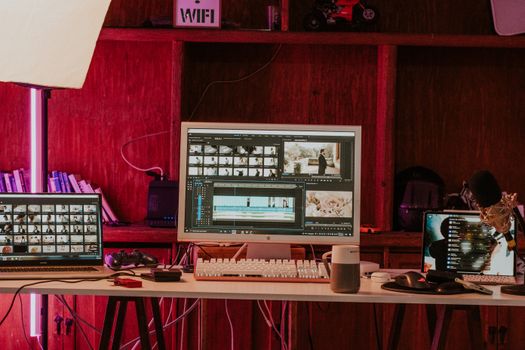
Step 5: Treat the Thumbnail and the First Thirty Seconds as One Unit
Most creators design these separately and then wonder why the click does not match the watch time. The thumbnail makes a promise and the opening confirms it. If the thumbnail shows a finished result, the first thirty seconds should show that result. If it shows a problem, the video should name the problem in the same words.
Keep thumbnail text short enough to read on a phone, and avoid repeating the title word for word. The two should complement each other rather than duplicate.
Step 6: Organize the Channel So the Next Video Is Easy to Find
A channel that looks organized earns more second views. Group related videos into playlists with descriptive names. Set a featured video for new visitors that represents your best current work, not your oldest upload. Keep the channel description specific about who the videos are for and what they help with. These small structural choices make a channel easier to browse and easier to recommend.
Step 7: Review, Adjust, and Repeat
Publishing is not the end of the process. Set a recurring review and look at how each video performed against the question it was built to answer. If people click but leave early, the opening did not match the promise. If people watch but nobody clicks, the packaging is the weak link. If a video earns steady attention weeks after publishing, it has found a search audience worth building on.
Record what you learn in a short note next to each upload. Over a few months those notes become your own playbook, which is far more useful than any generic checklist, including this one.

A Copyable Weekly Checklist
-
Choose one narrow phrase a viewer would actually type.
-
Check the existing results and decide what you will do better.
-
Write the title and thumbnail promise first, before the script.
-
Script the opening so it delivers that promise within the first half minute.
-
Draft a plain-language description and add chapter labels.
-
Publish, then add the video to a relevant playlist.
-
Review performance two weeks later and note one change for the next upload.
Mistakes That Slow Channels Down
The most common setback is chasing volume before clarity. Ten unfocused uploads teach you less than three that answer specific questions well. The second is copying a competitor’s title without understanding why it worked for their audience. The third is skipping the review entirely, which means every upload starts from zero. None of these require new tools to fix, only a decision to slow down at the planning stage.
Frequently Asked Questions
Does YouTube SEO still matter in 2026?
Yes. YouTube is often described as the second-largest search engine in the world with more than 2.5 billion monthly users, and current guides still frame ranking factors and video optimization as core skills. Search and recommendations work together, so the clarity that helps a video get found also helps it get clicked when it is suggested to a new viewer.
How long should a video be for search?
Long enough to answer the question completely and no longer. A short, complete answer can rank well, and a padded one loses viewers before the useful part arrives. Decide the structure first, then let the length follow from the number of steps or examples the topic actually needs. Cut anything that does not serve the title.
Do tags and hashtags matter as much as the title?
No. The title and description carry far more weight for helping a viewer understand the video, while tags act as light supporting context. Add the obvious variations and move on. Spend the saved time on the thumbnail and the first thirty seconds, where the decision to keep watching is actually made.
How often should I review video performance?
A two-week review is a practical rhythm. It is late enough for early traffic to settle and early enough to inform your next upload. Note one thing that worked and one thing to change, then apply both to the next video. Reviewing every upload consistently matters more than the exact interval you choose.
Start with one narrow topic this week and follow the checklist from top to bottom. The setup only becomes useful once it is running, and the first upload is the only one that has to be imperfect.